This endpoint gives you general information about your show types, along with custom fields of your own: promo videos, banner images, social links, ticketing details and anything else. You can use it to power your own website or feed other integrations, and keep those assets up to date from inside Confirmed.
How it works
- Define your fields. You build a schema that describes the data you want to share (for example a "Promo video" URL or a "Banner image"). The schema applies to every show type in your production.
- Fill in values. For each show type, you enter the values for the fields you defined.
- Publish. Confirmed writes a fresh JSON file to a public URL. Changes go live as soon as you publish. The file is served without caching, so everyone reading it gets the latest version.
Defining metadata fields
You can edit the metadata schema from Settings > Data & API, with Edit Fields in the Static API section.
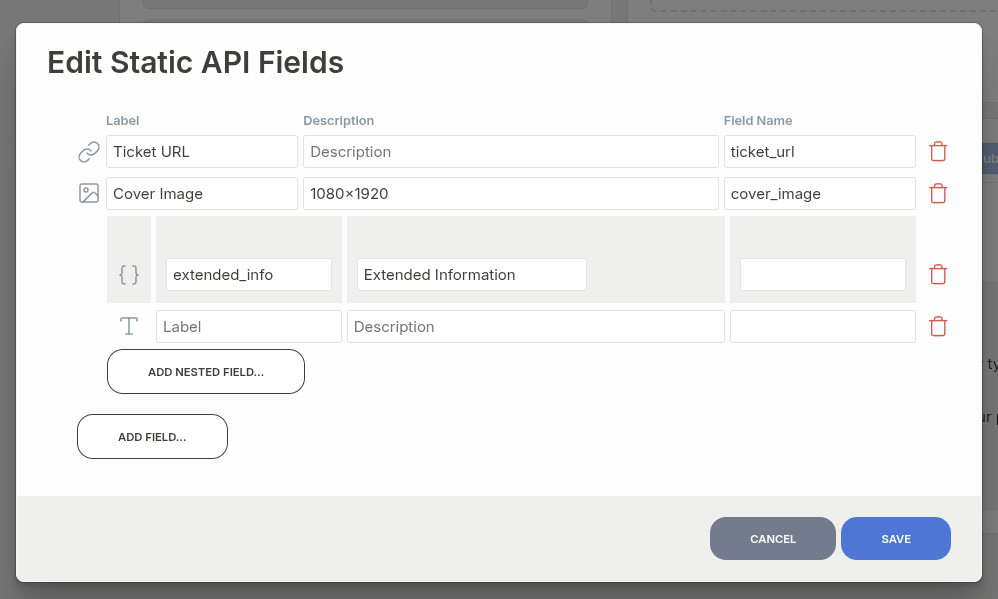
Here you can add the fields you want to fill in for each show type. Common ones are a ticket link, when the ticketing platform can't link to a specific performance (fringe festivals generally can't), and a cover image for sharing on socials.
Each field has a label, which Confirmed shows, an optional
description, and a field name, which is its key in the
JSON's meta object. If you leave the field name blank, Confirmed makes
one from the label in camelCase (for example, "Promo video" becomes
promoVideo).
Field types
| Type | Description |
|---|---|
| Short text | A single line of text. |
| Long text | Multi-line text. |
| URL | A web link. |
| Number | A numeric value. |
| Boolean | A true/false toggle. |
| Image | An uploaded image. The JSON has its URL. |
| Video | An uploaded video. The JSON has its URL. |
| Generic file | Any uploaded file. The JSON has its URL. |
| Show Types Selector | One or more references to other show types in your production. |
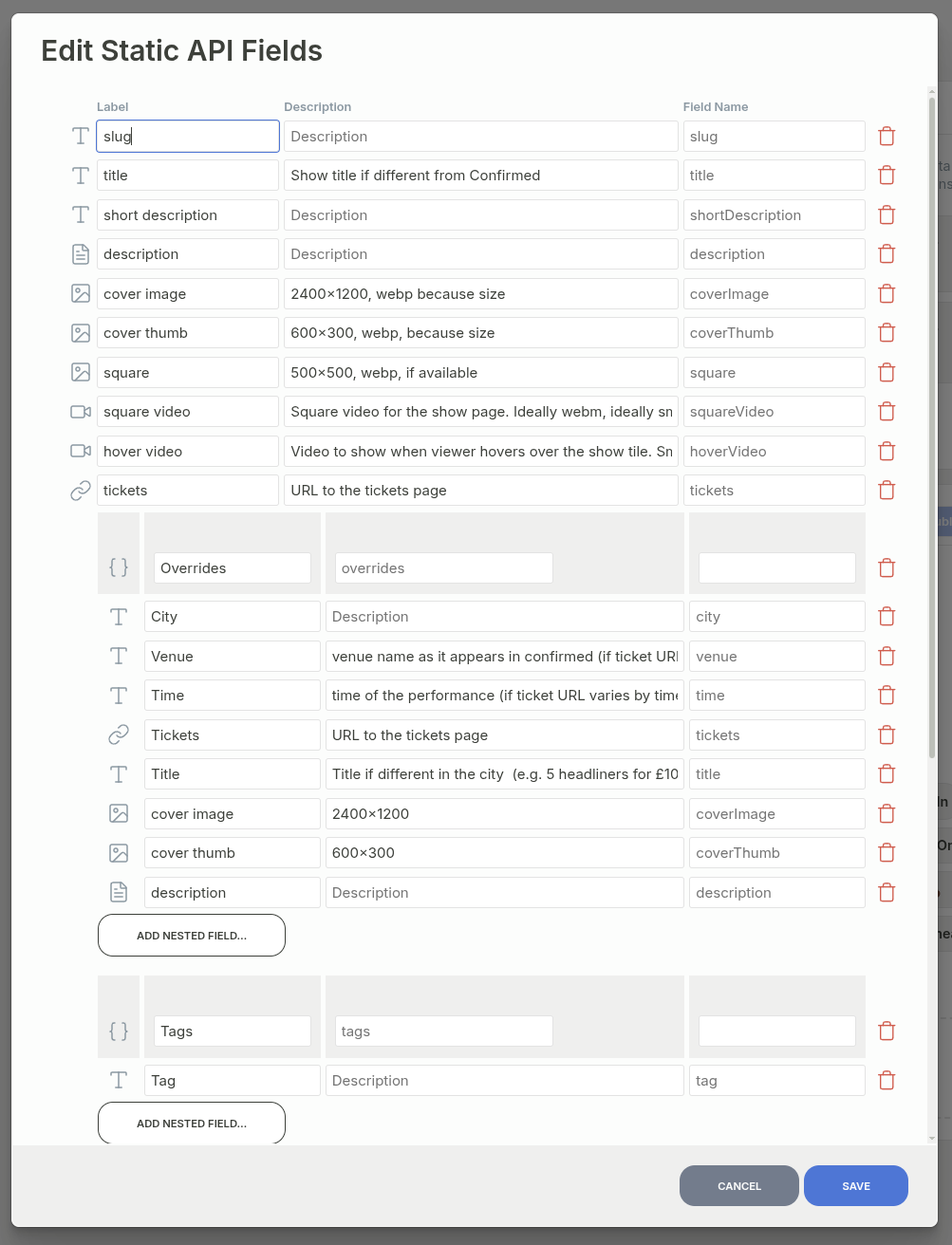
| Group | A repeatable set of nested fields, for lists such as ticket tiers. It appears in the JSON as an array of objects. |
Here's an example schema, which powers https://rgb.monster/:
Specifying values for each show type
Once you've defined your fields, you can fill in their values in one of two views.
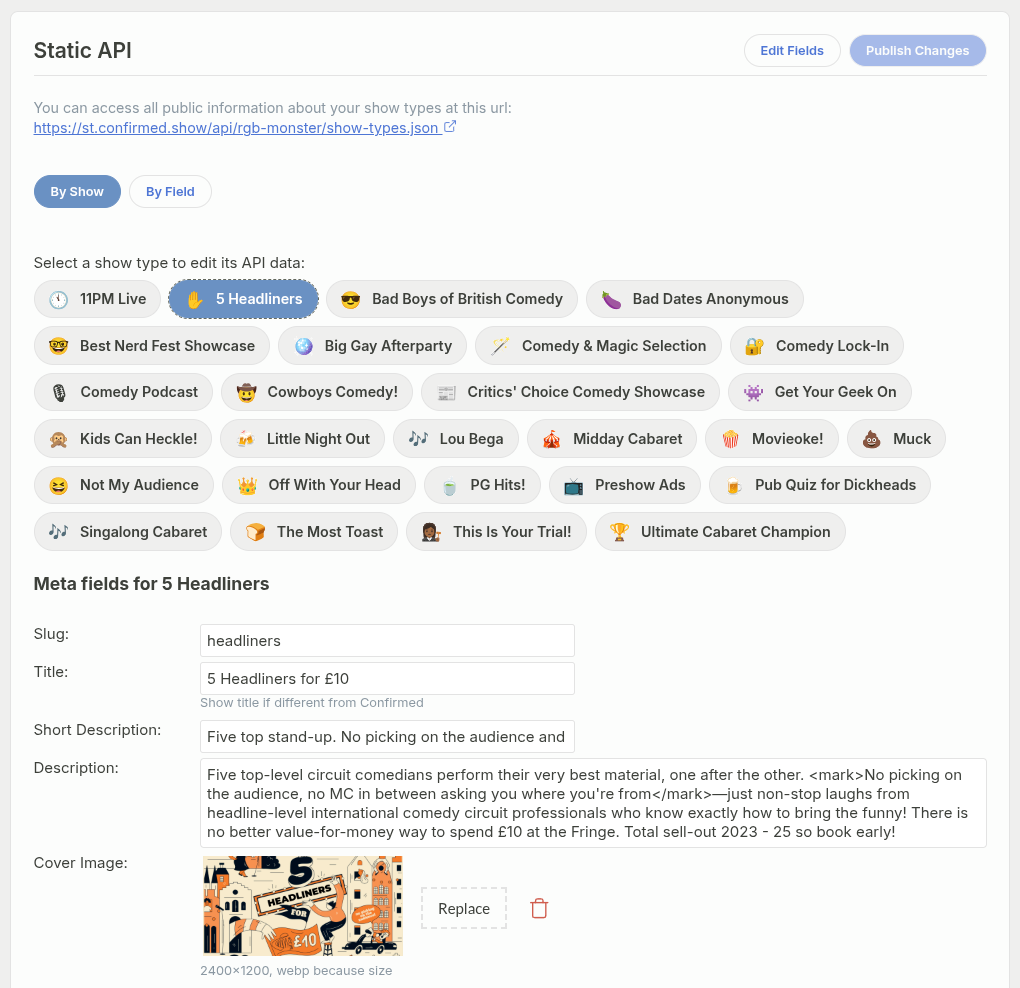
By Show lets you edit one show type at a time:
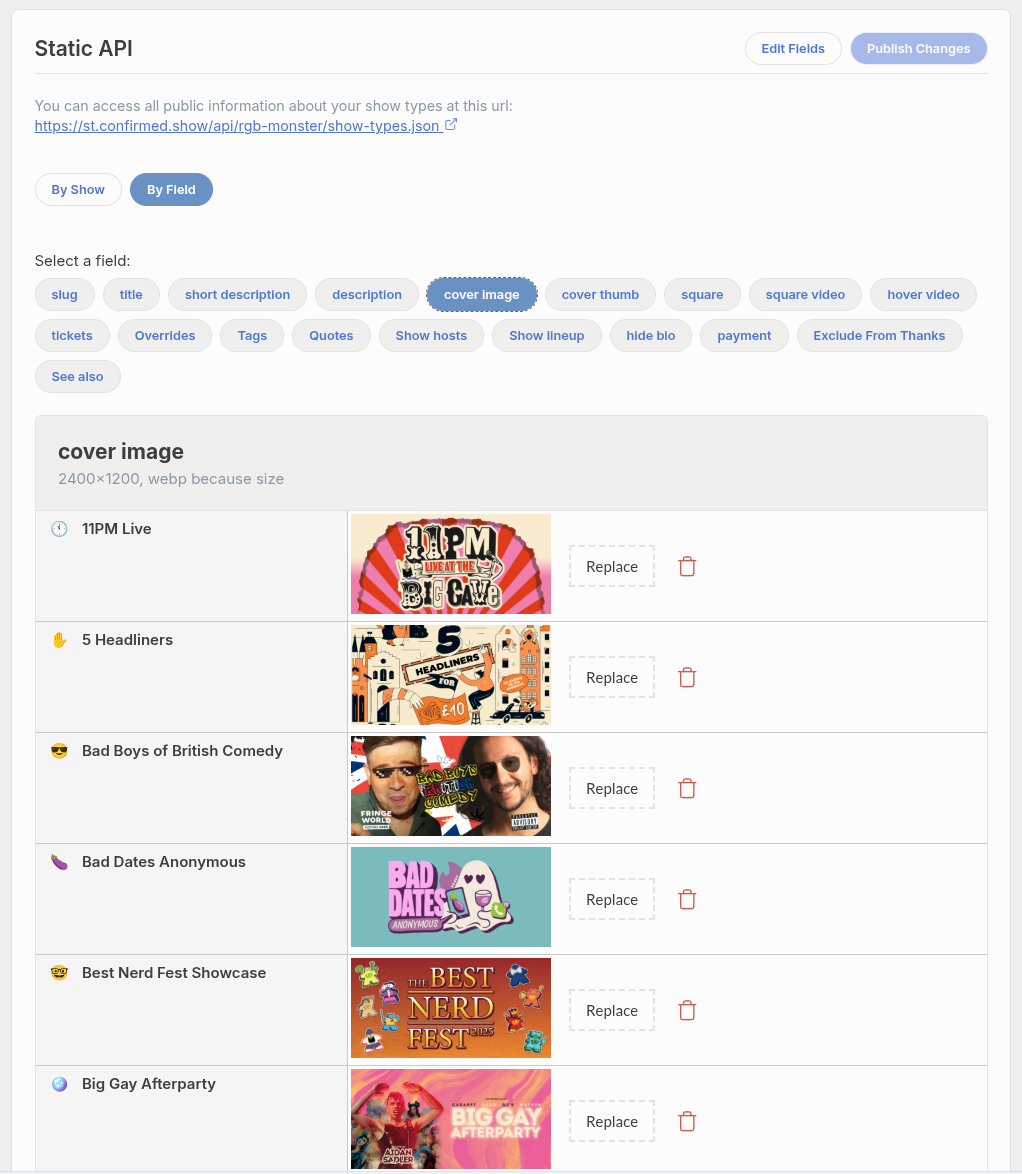
By Field lets you edit one field across all your show types:
Publishing
Confirmed saves your edits as you work, and they reach the public URL once you click Publish Changes. The button stays disabled while there's nothing new to publish. The file is on Confirmed's CDN and served worldwide, so it usually loads in under 50ms.
The endpoint
https://st.confirmed.show/api/<your-production>/show-types.json
The endpoint accepts GET requests, returns JSON, and allows cross-origin
calls, so you can fetch it straight from a browser. You don't need an API key,
because the file only has public information.
Response shape
The endpoint returns an array of show types. Each entry has a fixed set of base fields,
plus a meta object with the custom values you've filled in.
[
  {
    "id": "abc123",
    "value": "abc123",
    "name": "Friday Night Comedy",
    "description": "Our flagship weekend show",
    "duration": 90,
    "archived": false,
    "meta": {
      "promoVideo": "https://youtube.com/watch?v=...",
      "bannerImage": "https://.../banner.jpg",
      "lineup": [
        {"name": "Jane Doe", "headliner": true},
        {"name": "John Smith", "headliner": false}
      ]
    }
  }
]Base fields
| Field | Description |
|---|---|
id |
Unique identifier for the show type. |
value |
Same as id, for use in dropdowns and selectors. It's there
so the JSON works with
Storyblok's dropdowns.
|
name |
The show type's name. |
description |
The show type's description. |
duration |
Run time in minutes. |
archived |
true when the show type is archived. Archived types still
appear in the file.
|
meta |
Object containing your custom field values, keyed by field name. |
Example: fetching the data
const response = await fetch(
  "https://st.confirmed.show/api/your-production/show-types.json"
);
const showTypes = await response.json();

for (const showType of showTypes) {
  console.log(showType.name, showType.meta.promoVideo);
}